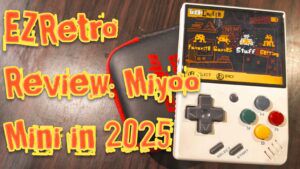
The Miyoo Mini retro handheld is a nifty little device capable of playing classic 8-bit and 16-bit games up to PlayStation 1 ROMs. Released in late 2021, it was well-received by avid retro gaming fans worldwide. Many would argue that this device jump-started the compact retro handheld market at an affordable price point.
While other players like Anbernic and Powkiddy existed at the time, the Miyoo Mini managed to make waves due to its pocketability, build quality, and competitive pricing.
That doesn’t mean it’s without flaws, but many consider (ourselves included) that the original Mini has the perfect size if you want something lightweight and compact that doesn’t significantly impact the gaming experience. This is subjective, of course—people with larger hands will find the device cramped. I have medium-sized hands, so while it took some adjustment, it works really well for me.
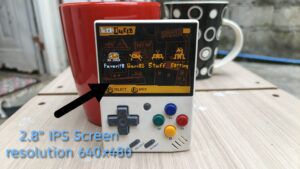
Another main concern is the 2.8″ screen, which many consider quite small for comfortable gameplay. If you’re into text-heavy games, there will be plenty of squinting involved. However, for most games, it works fine and screen size won’t be much of an issue.
Since its 2021 debut, the Miyoo has undergone three version upgrades. If you’re looking to purchase one now, you’ll likely get the latest Version 4 model, which comes in white, grey, black, transparent blue and yellow colors.
Hardware Specifications
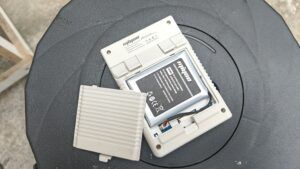
Before we dive in, here’s a breakdown of the Miyoo Mini’s hardware (note: we’re reviewing Version 4, but hardware specifications remain similar across versions):
Device Name: Miyoo Mini (all versions)
Display: 2.8″ IPS, 640×480 resolution
Battery: ~2000 mAh (4-6 hours depending on emulation)
Storage: MicroSD (up to 128GB)
CPU: ARM Cortex A7, 1.2GHz dual-core
RAM: 128MB
OS Support: Stock OS (Mini UI) or Onion OS (custom firmware)
Emulation Support: 8-bit/16-bit systems up to PlayStation 1
Wi-Fi: None
(Note: The original Miyoo Mini lacks Wi-Fi support, but the Miyoo Mini+ does include it)
Size and Weight: 93.5×65×18mm, ~107g
Emulation Performance
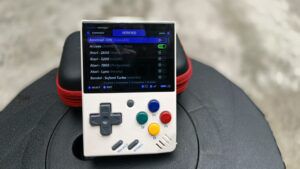
Since the Miyoo Mini is primarily a retro handheld, let’s examine how well it performs across different emulation platforms.
I accidentally reformatted the SD card that came with my Miyoo Mini, so I had to start from scratch. I’ve installed my own ROM collection, which is somewhat limited compared to the pre-loaded selection, but I’ve personalized it with games I actually play on the Mini.
NES/Famicom
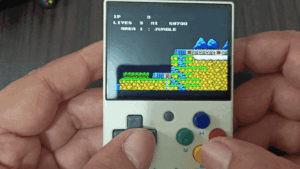
One standout feature of Miyoo’s NES emulation is its compatibility with modded and homebrew ROMs. For this review, I tested Contra, one of my all-time favorite games on this system and a childhood classic.
Controls
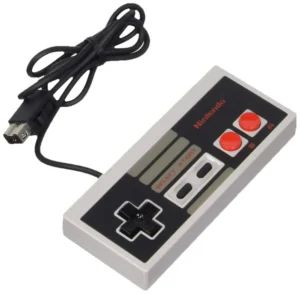
For those unfamiliar with the NES, the control scheme consists of two buttons plus the directional pad (not counting Select and Start). This translates perfectly to the Miyoo Mini’s B and A buttons with the D-pad. While it’s a bit cramped, it remains very playable. You can also customize the X and Y buttons to act as turbo buttons.
Sound
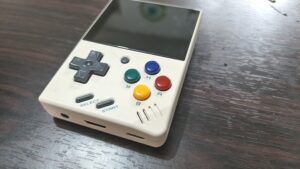
The audio is surprisingly loud for such a small device—I had to lower the volume to avoid it being jarring. The single speaker, located on the bottom-right face, is well-positioned. I didn’t experience any sound muffling issues with my thumb placement over the B and A buttons, though this could be problematic for users who rest their thumbs below the buttons.
The directional pad works excellently. While on the smaller side, I experienced no false inputs or difficulties with this button layout.
Games to play on Nes/Famicom
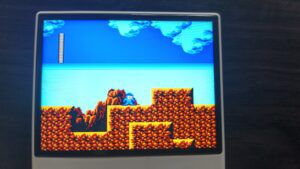
I play plenty of NES games on the Mini during my free time. Turn-based RPGs work best since they can be played one-handed and don’t require precise inputs. However, platformers also perform well. I recommend Contra, Super Mario Bros. 3, Darkwing Duck, and Mega Man 1 & 2. Generally, any NES game works excellently on the Mini.
Super Nintendo (Snes)
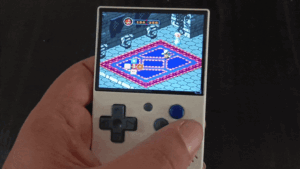
When it comes to RPGs and JRPGs, the Super Nintendo reigns supreme. Throughout its lifespan, it produced numerous RPG titles that continue to inspire modern games, not to mention the remakes and remasters we’ve received over the years.
The Miyoo Mini delivers exceptional SNES emulation performance. Beyond smooth gameplay, the Mini offers save states for quality-of-life improvements and filter effects to enhance visual appeal or nostalgia.
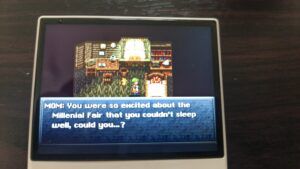
For this review, I tested Chrono Trigger: Complete, a popular modification for the SNES version. The 2.8″ screen performs admirably—text remains readable, and I experienced no slowdown or noticeable screen tearing.
This addresses a long-standing issue I’ve had with SNES emulation on mobile devices, where I’ve never found a perfect emulator. The Mini’s compact size also allows for comfortable one-handed gameplay.
controls
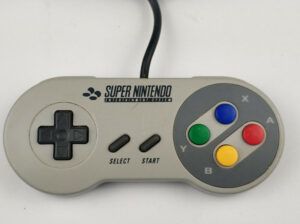
The SNES control scheme includes four buttons, a D-pad, and left/right triggers. These translate well to the Mini, though I admit the L and R buttons feel somewhat awkward to press. This requires adjustment, but for games that rarely use these triggers (like RPGs and JRPGs), it shouldn’t pose significant issues.
Sound
Audio performance is generally solid. I’ve noticed occasional sound crackling or slowdown in demanding games with heavy on-screen action. A classic example is the Super Mario World 30th Anniversary ROM hack. While there are reportedly RetroArch workarounds, I’m not particularly tech-savvy and let it run as-is. These issues only affect specific game sections, and overall performance remains excellent.
Games to play (Snes)
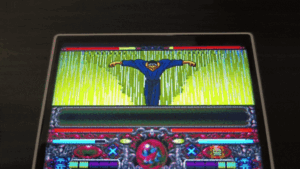
While I could recommend every RPG/JRPG on SNES, turn-based games truly shine on the Miyoo Mini. Chrono Trigger, Final Fantasy IV & VI, Shin Megami Tensei mods—if it’s turn-based, it’s perfect for the Mini. Other notable recommendations include Mega Man X, Tales series games, Front Mission: Gun Hazard, Castlevania (especially mods), and Yu Yu Hakusho Tokubetsu Hen.
Game Boy, Game Boy Color, Game Boy Advance
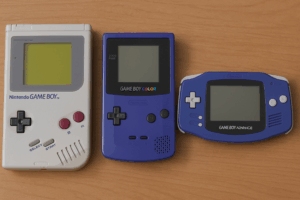
Modern retro handhelds draw inspiration from the Game Boy family—the concept of portable gaming began with the Game Boy and evolved through the Game Boy Advance. Naturally, the Miyoo Mini excels at emulating these Nintendo handhelds, and with years of homebrew ROMs and mods available, there’s an extensive game library across these three platforms.
Game Boy
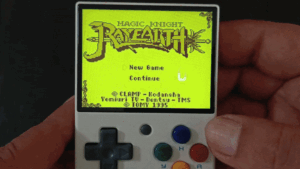
I tested Magic Knight Rayearth, my all-time favorite Game Boy title. With the simple control scheme of B and A buttons plus the D-pad, you can remap additional buttons for functions like save/load or create combination inputs. A neat Onion OS feature allows you to change screen filters by tapping the rear R1 and R2 buttons, offering up to 26 preset filters instead of the classic green Game Boy display.
Gameboy Color
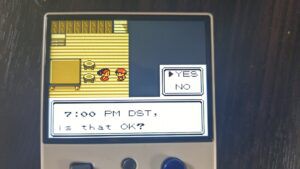
This is where Pokémon first made its impact. The control scheme remains similar to the original Game Boy but now includes color support and essential features like save states and speed-up toggles (especially useful for Pokémon games). Games display excellently on the 2.8″ screen, with text remaining readable even for those with vision difficulties.
I tested Pokémon Crystal Legacy, a ROM hack of the original Crystal, and everything ran smoothly with proper internal clock functionality—essential for Game Boy and Game Boy Advance Pokémon games.
Gameboy Advance
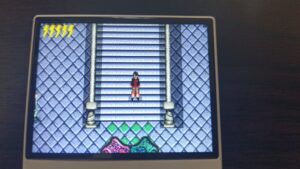
I have nothing additional to note regarding controls, sound, and quality-of-life features for GBA emulation—everything works excellently. I primarily play Pokémon ROM hacks, RPGs, and strategy games, all of which perform great on the Mini.
Gba solar sensor
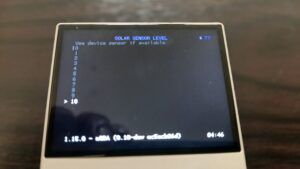
One standout feature is the solar sensor support, which works beautifully and is easily accessible through the RetroArch emulator.
For those unfamiliar, certain GBA games utilized a solar sensor hardware feature. The prime example is Boktai (Solar Boy Django), where you charge weapons via the solar sensor to create solar-powered attacks. I previously struggled with solar sensor setup on PC emulators, but it functions flawlessly on the Mini.
Game recommendations
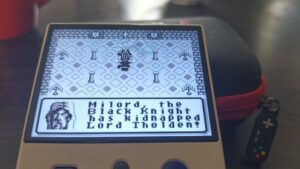
Honestly, every game works well across these three handhelds on the Mini. Currently, I’m enjoying Magic Knight Rayearth, Darkwing Duck, and Ultima II: Runes of Virtue.
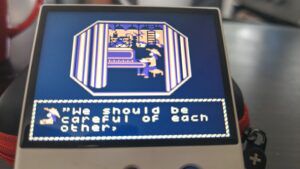
For Game Boy Color, I highly recommend Pokémon Crystal Legacy, Queen of Fighting 2000 (a fun Chinese homebrew fighting game with easy move execution), Sakura Wars GB, and a newly discovered homebrew called “The Way to Dusty Death”—a compelling text-based RPG.
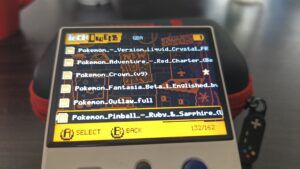
For GBA, Pokémon Unbound stands out as the best Pokémon ROM hack available. I also recommend Super Robot Wars OG & OG2, Fire Emblem games and hacks, Boktai 1 & 2 (requiring the solar sensor), and Mega Man Zero 1-4.
Neo Geo Pocket
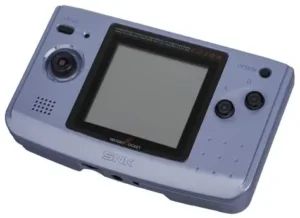
If you’ve followed my previous emulation reviews, you know I consider the Neo Geo Pocket an underrated handheld, especially for fighting games. NGP emulators are scarce on mobile and PC platforms, making the Miyoo Mini one of the best retro handhelds for NGP ROM emulation. Its compact size isn’t a drawback since the original Neo Geo Pocket was also small, and with only two buttons plus the D-pad, your hands won’t feel cramped.
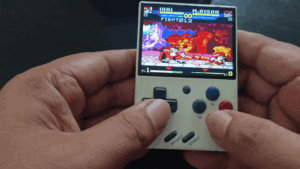
I regularly play fighting games like SNK vs. Capcom, SNK Gals’ Fighters, and King of Fighters R-2, executing super moves without issues.
The Mini’s small D-pad works perfectly for sliding movements required for half-circles and precise forward-down-forward signature moves.
The only adjustment needed was adapting to low punch/kick inputs—tapping for low attacks and holding for high/heavy attacks. This isn’t a hardware limitation but rather the original Neo Geo Pocket design. Other notable non-fighting games I enjoy include Faselei!, Metal Slug 1st & 2nd Mission, and Dark Arms.
Wonder Swan Color
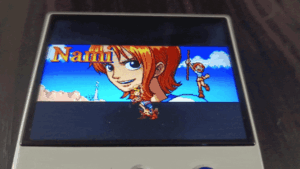
WonderSwan games run excellently on the Mini. However, most online retailers don’t include pre-installed WonderSwan ROMs—you’ll need to manually add the system via package manager and source your own ROMs.
This might be due to most WonderSwan games being Japanese-only or the handheld’s limited popularity. I’ve purchased two Minis from different shops, and neither included WonderSwan ROMs.
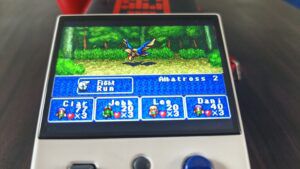
I tested Makai Toshi Saga, which performed flawlessly—unsurprising given the simple two-button plus D-pad control scheme. As a Gundam fan, I also tried various Gundam WonderSwan ROMs.
While lacking English translations required some exploration to understand gameplay mechanics, I thoroughly enjoyed the experience.
Playstation 1
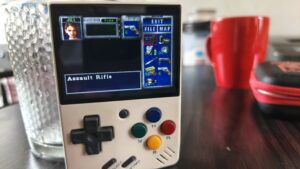
PlayStation emulation proves hit-or-miss depending on the specific game. While some titles run with minor slowdowns or stutters, others become unplayable or difficult on the Mini.
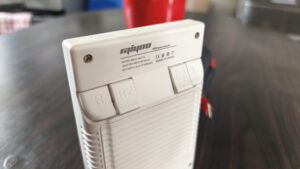
Resident Evil exemplifies the challenges—requiring you to hold the R2 button for aiming and tapping the X button for firing. With rear buttons positioned at the device’s back, these combinations feel downright frustrating on such a small device.
I often accidentally drop the Mini when dealing with multiple on-screen zombies while frantically attempting to aim and fire as they close in on me. This problem is the same for any 3rd and first person shooters like Dino crisis or medal of honor.
Turn-based games or titles that don’t heavily rely on shoulder buttons provide acceptable experiences, depending on the game type. For dedicated PlayStation 1 gaming, I recommend the Miyoo Mini+ or Miyoo A30, as the original Mini’s size and form factor can create frustrating experiences.
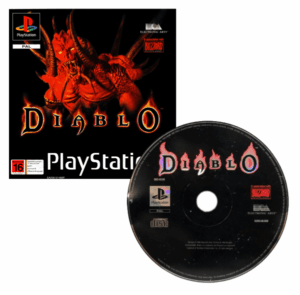
Note that Diablo 1 and Diablo Devilution won’t run directly—the only workaround involves installing through the Onion OS ports collection, though available tutorials target the Miyoo Mini+ rather than the original Mini.
Game recommendations
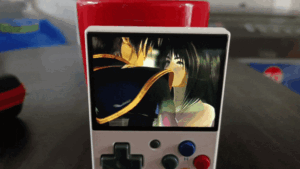
I typically play Final Fantasy VII, VIII, and IX, plus fighting games like Bloody Roar 2 and Bushido Blade 2. While these run adequately, the awkward trigger button layout makes this less than ideal for such games.
I’m missing coverage of several emulators like MAME, CPS1, CPS2, PICO, ports collection, and ScummVM due to my accidental card reformatting and lack of legal access to originally pre-installed ROMs. From memory, arcade games performed well, and retailers typically offer extensive ROM selections with Miyoo Mini purchases.
Final Verdict
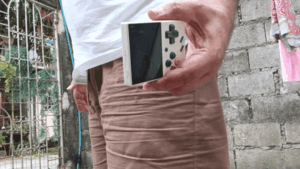
Now in 2025, nearly four years after the Miyoo Mini’s debut, production has ceased in favor of the Miyoo Mini+, which features a larger screen, bigger body, and Wi-Fi connectivity. Is the original Miyoo Mini still worth purchasing? I’d say yes, but it depends entirely on your handheld gaming priorities.
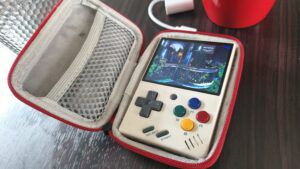
If you want something genuinely pocket-sized, the Miyoo Mini is perfect. While dozens of smaller handhelds exist, a 2.8″ screen represents the minimum playable size in my opinion.
For quick gaming sessions during free time, the Mini excels at short play bursts.
For extended gaming, you’ll need larger, more expensive handhelds for comfortable play, as the Mini’s compact body becomes cramped after an hour or more.
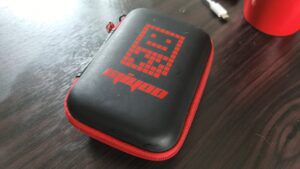
For retro gaming focused on 8-bit and 16-bit titles, the Miyoo Mini performs excellently at a budget-friendly $60 starting price (at least on AliExpress). I purchased mine through TikTok from Gamecove PH for around $68 with a 64GB SD card option.
Interestingly, the Mini+ and original Mini were identically priced, with the seller recommending the Mini+ for its larger size and Wi-Fi capability.
If you’re seeking a compact, affordable retro handheld perfect for short gaming sessions, the Miyoo Mini delivers exactly that experience.
 EZRetro Plays
Leave a comment